
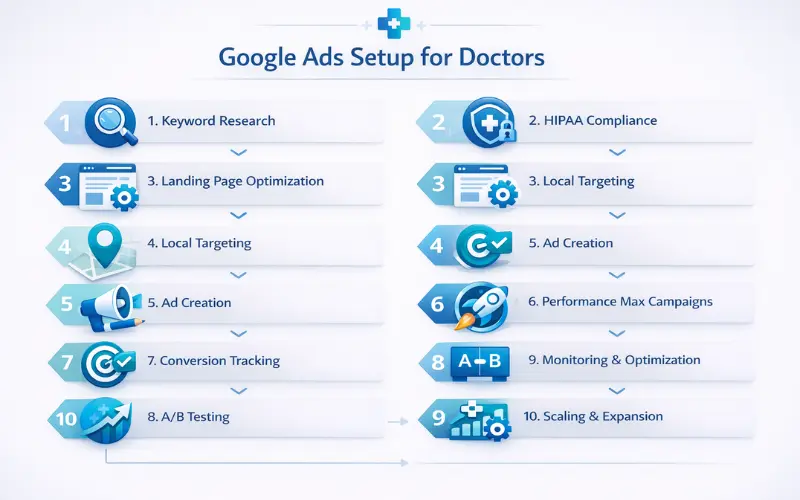
If you’re a doctor or clinic owner staring at a packed schedule but still seeing empty slots, you’re not alone. Many patients are searching online for care right now, yet they end up booking elsewhere—or not at all. If you’re looking for a solid Google Ads for doctors SEO outline that actually delivers more patients, this guide breaks it down clearly.
Google Ads paired with smart SEO thinking still wins big in 2026. You get fast visibility where organic growth takes months, targeting local patients with high intent. Well-set campaigns often see 2–4x return when focused on real search intent, and that’s from tweaking real clinic accounts I’ve managed.
This step-by-step Google Ads for doctors SEO outline shares current tips, common pitfalls to skip, and practical takeaways. What if your next patient is just one good ad away? Ready to turn searches into actual appointments?
Why Google Ads Still Work Great for Doctors in 2026
Google Ads remains a powerhouse for medical practices because it puts you in front of people actively looking for help.
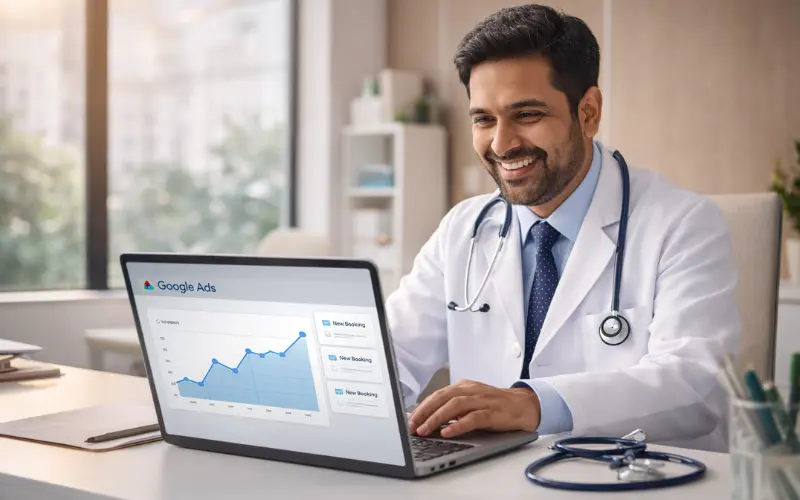
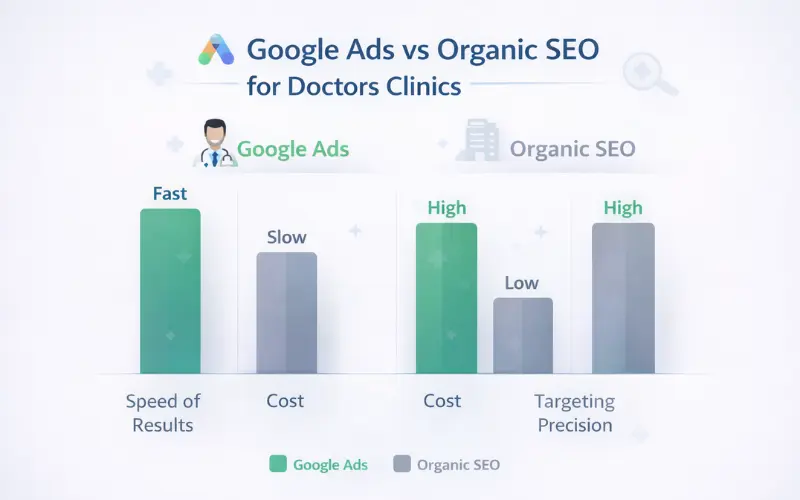
Fast Patient Leads vs Slow Organic Growth
Organic SEO builds long-term trust, but it can take 6–12 months to rank well. Google Ads delivers leads almost immediately—sometimes the same day. I’ve seen clinics go from a handful of inquiries to steady bookings within weeks by focusing on paid search.
The combo is even better: Ads drive quick wins while you strengthen your site and Google Business Profile for organic gains.
Key Changes in Google Ads for Healthcare This Year
In 2026, AI features like enhanced Smart Bidding and Performance Max improvements make local service campaigns smarter. Privacy rules emphasize zero-party data and stricter HIPAA alignment—no sharing protected health info.
Keyword costs in medical niches keep rising due to competition, so high-intent local searches matter more. Limited certifications apply for certain health ads, but general medical services like routine care stay accessible with careful setup.
Must-Know Compliance Basics Before You Start
Compliance isn’t optional—it’s what keeps your account running smoothly.
Staying HIPAA-Aware in Your Campaigns
HIPAA protects patient data, so never send protected health information (PHI) to Google. Google Ads doesn’t sign BAAs, meaning you handle the compliance yourself.
Stick to anonymized tracking. Use server-side or first-party data where possible. Focus on actions like form submissions without collecting names or conditions in ad tools.
What to Avoid in Ad Copy and Landing Pages
Don’t promise cures, guarantees, or use before/after images that imply results. Avoid collecting PHI via ad-tracked forms without safeguards.
Steer clear of sensitive health claims. Phrases like “cure your pain fast” often trigger disapprovals.
Google’s Healthcare Ad Policies Today
Google restricts misleading claims and requires accuracy. Prescription-related ads need certification in some cases, but most doctor services (checkups, specialties) are fine if truthful.
Check Google’s Healthcare and medicines policy regularly. Missteps lead to disapprovals or suspensions—I’ve seen accounts paused over one off-phrase.
Your Google Ads for Doctors SEO Outline – Preparation Steps
Preparation sets the foundation for success.
Step 1: Smart Keyword Research for Clinics
Start with tools like Google Keyword Planner. Look for terms patients actually type.
Finding High-Intent Local Terms
Target “dermatologist near me” or “family doctor [city]”—these show ready-to-book intent. High-intent keywords for doctors drive better results than broad ones.
Add location modifiers early. From managing clinic accounts, here’s what stands out in 2026: local + service combos convert best.
Mixing Broad, Phrase, and Exact Match
Use exact match for precision (“pediatrician in [city]”), phrase for variations, and broad match modified carefully with AI help. Negative keywords medical ads prevent irrelevant clicks—like “free” or “jobs.”
Step 2: Check and Fix Your Website First
Your site must load fast, be mobile-friendly, and feel trustworthy. Google favors secure (HTTPS) pages.
Add clear info: services, doctor bios, contact forms. Optimize for local patient targeting—mention your area naturally.
One thing many doctors overlook is speed: slow pages kill conversions before ads even run.
Setting Up Campaigns That Actually Convert
Now let’s get practical—campaign setup time.
Step 3: Writing Ad Copy That Builds Trust
Focus on empathy and clarity. “Experienced [specialty] care in [city]—book your visit today.”
Using Keywords Naturally Without Sounding Salesy
Include the google ads for doctors seo outline variations subtly. Headlines like “Top-Rated Doctor in [City] – Schedule Now” work well.
Add extensions: location, call, sitelinks. Ads aren’t magic, but they can feel like it when bookings start rolling in.
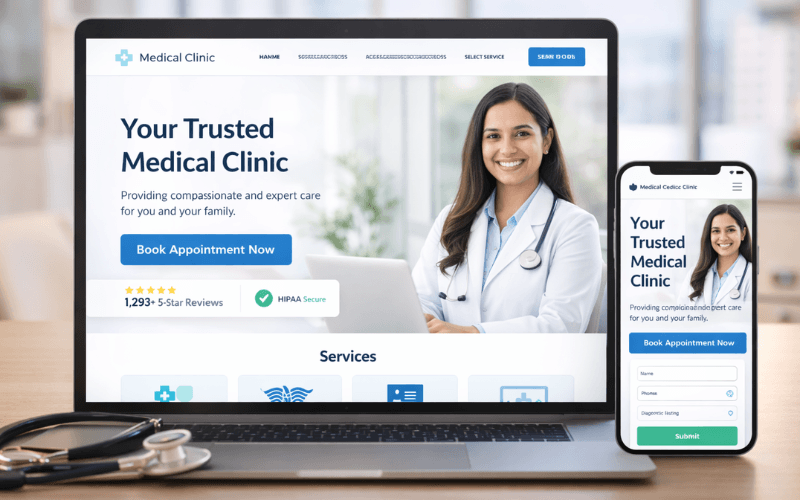
Step 4: Creating Landing Pages Patients Love
Direct ads to dedicated pages, not your homepage. Match the ad promise exactly.
Adding Clear Calls-to-Action and Forms
Use buttons like “Book Appointment” or “Call Now.” Keep forms short—name, phone, reason optional.
Include trust signals: reviews, badges, doctor photos. HIPAA compliant Google Ads means no unnecessary data collection.
Targeting the Right Patients (Without Wasting Budget)
Precision saves money.
Step 5: Location and Audience Targeting Tips
Target your service radius—10–20 miles for most clinics.
Geo-Targeting for Your City or Radius
Use radius targeting around your office. Exclude low-value areas if needed.
Layer demographics: age, income if relevant (e.g., family practices target parents).
Step 6: Using Performance Max for Doctors
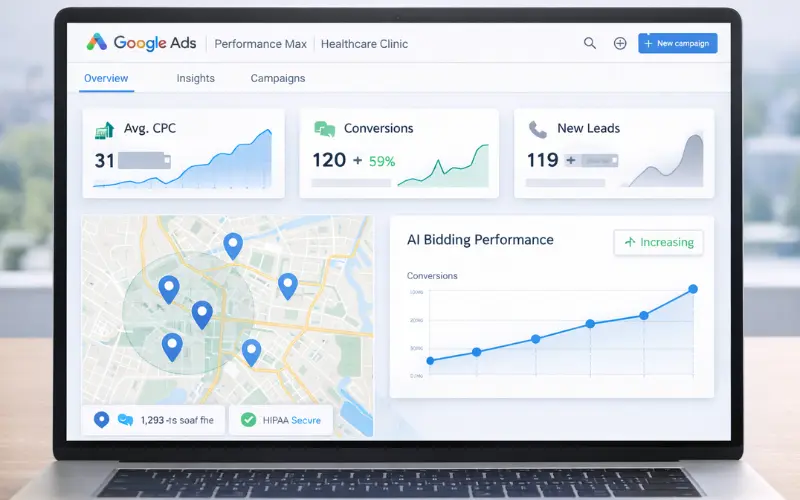
Performance Max for clinics leverages AI across Search, Display, YouTube, and more. Feed it good assets and signals.
It shines for local services in 2026 with improved automation. Start with audience signals like past site visitors (ethically, no PHI).
I’ve seen this work well when combined with strong Google Business Profile.
Tracking and Improving Results
Data drives decisions.
Step 7: Setting Up Conversion Tracking Right
Track calls, form submits, bookings. Use Google Tag Manager carefully—no PHI.
Conversion tracking healthcare requires clean setup. Focus on post-click actions.
Step 8: Reading Data and Making Adjustments
Review weekly. Pause underperformers, scale winners.
Common Metrics to Watch Weekly
- Click-through rate (CTR)
- Cost per conversion
- Conversion rate
- Quality score
Adjust bids with Smart Bidding. Building on that point, test ad variations constantly.
Budget Tips and Scaling Smartly
Start conservative.
Step 9: Starting Small and Growing
Begin with $1,500–$3,000/month for testing. Gather data first.
Medical PPC best practices: prioritize high-intent over volume.
Handling Seasonal Spikes (Flu, Allergies)
Ramp up for flu season or allergy peaks. Plan ahead—keywords shift.
Step 10: When to Pause or Expand
Pause if ROI dips below target. Expand to new services or areas with proven results.
Remarketing patients ethically: use site visitors only, no sensitive targeting.
Mistakes Doctors Make (And How to Dodge Them)
Avoid these to save headaches.
Ignoring Negative Keywords
Without them, you pay for “free consultation” or unrelated searches. Add “jobs,” “salary,” “reviews” early.
Weak Landing Pages That Kill Conversions
Ads send traffic, but bad pages lose it. Slow load, no clear CTA—common culprits.
One fix: mobile-first design. Test forms regularly.
Quick Wins and Next Steps
This Google Ads for doctors SEO outline covers the essentials: compliance, keywords, targeting, tracking, and optimization.
Follow this outline and you’ll see more qualified calls and bookings. Combine with strong local SEO and educational content for trust.
Quick wins: Fix your site speed, add negatives, launch a small Search campaign this week.
Want help setting this up? Drop a comment below. Try these steps this week and track results. Your next patient might be searching right now.
Conclusion
Google Ads remains one of the fastest and most effective ways for doctors to attract new local patients in 2026—but real success comes only when you prioritize strict compliance, high-intent keywords, smart targeting, and proper conversion tracking. Follow this Google Ads for doctors SEO outline step-by-step, avoid common pitfalls like weak landing pages or ignored negatives, and you can generate consistent, qualified appointments without wasting your budget. Start small with a modest test budget, closely monitor your data weekly, make data-driven adjustments, and scale gradually as ROI improves. Your next patient is searching on Google right now—just make sure the right ad reaches them before your competition does!
Frequently Asked Questions (FAQ)
1. How to avoid HIPAA violations in Google Ads for doctors?
Never include any patient’s name, condition, phone number, or personal health information in ad copy, landing pages, or tracking. Promote only general services (like “skin specialist near me”) and ensure no PHI is sent to Google.
2. What should be the starting budget for Google Ads for doctors?
For small to mid-sized clinics, start with ₹1–1.5 lakh per month ($1,500–$2,000). Use the first 2–4 weeks to collect data, then increase based on ROI.
3. Is Performance Max good for doctors?
Yes, in 2026 it’s very effective for local clinics because AI automatically targets across Search, Maps, YouTube, and more. Just make sure you have strong landing pages and high-quality images/assets.
4. Why are negative keywords so important in medical ads?
They prevent irrelevant clicks (such as “free doctor”, “doctor jobs”, “online course”, “salary”, etc.). Without them, your budget gets wasted quickly and conversions drop.
5. How many days does it take to see results from Google Ads?
With proper setup, calls, forms, or bookings usually start coming in within 7–14 days. The first week is mostly Google’s learning phase, so be patient and check data daily.